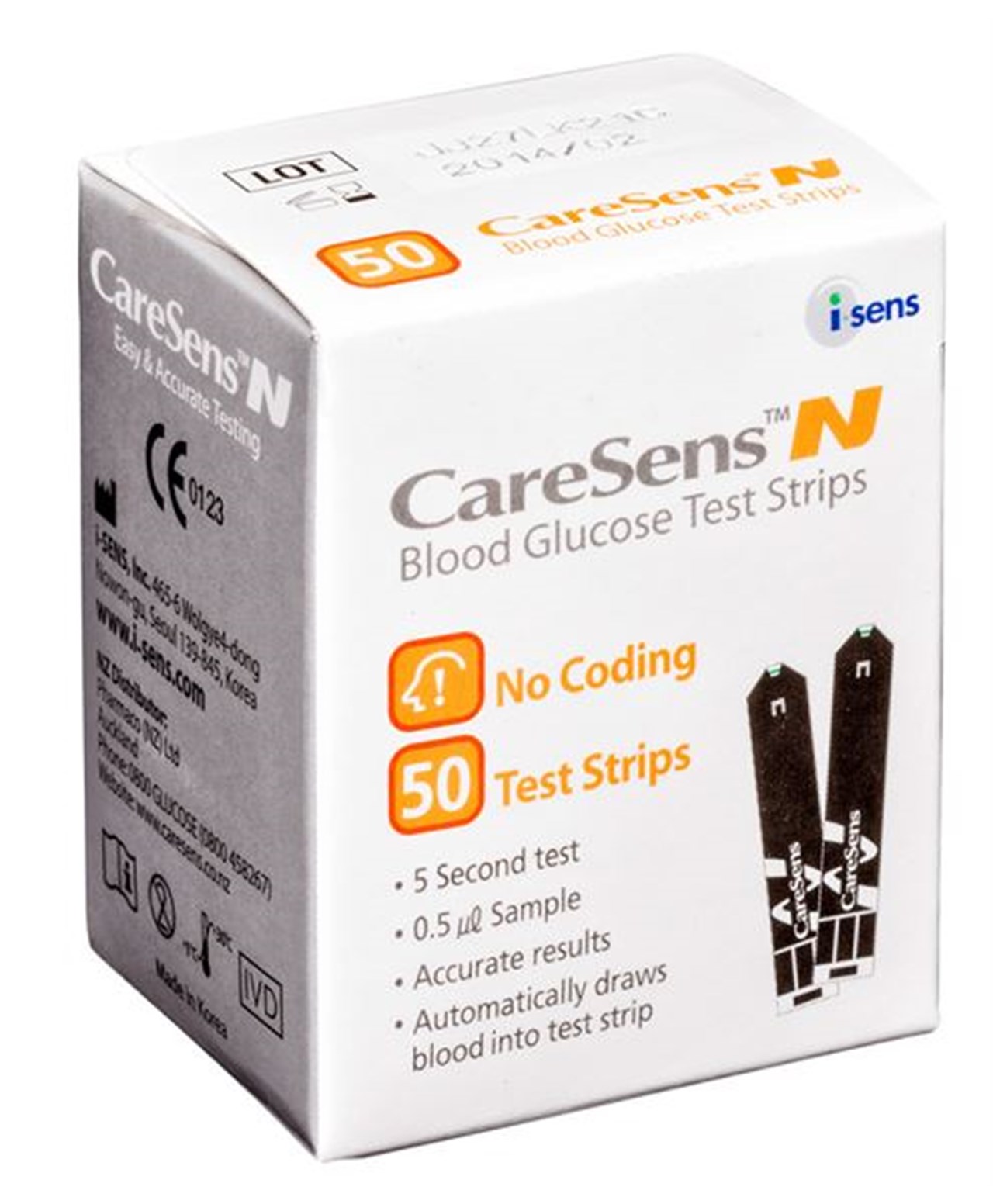
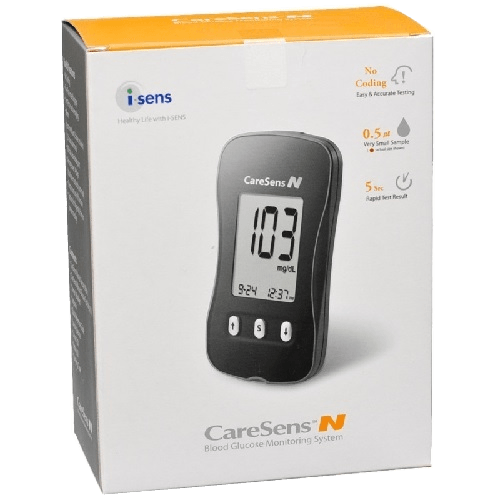
CareSens N Blood Glucose 50 Test Strips
$24.99
Clear details before you buyCheck the pack size, ingredients and directions below. Delivery is calculated at checkout.
Delivery information
New Zealand
Auckland $4.99 – Outside Auckland $7.99 – Rural $9.99
FREE Delivery in Birkenhead Area
Australia
Small $25 – Medium $50 – Express $100
Up to 15 / 10 / 5 working days respectively
United States
Standard $100 – Economy $150 – Express $300
Up to 15 / 10 / 7 working days respectively
Full delivery information →
CareSens N Blood Glucose 50 Test Strips
This test strip can be used with the CareSens N, CareSens N POP, CareSens N Premier and CareSens N Voice meters.
These strips don’t require coding, which can speed up the testing process.
- This test strip can be used with the CareSens N, CareSens N POP, CareSens N Premier and CareSens N Voice meters.
- These strips don’t require coding, which can speed up the testing process.
- The meter will switch off if the blood sample is not applied within 2 minutes of inserting the test strip into the meter.
- The CareSens N Test Strip is a No Coding test strip.
CareSens N Blood Glucose 50 Test Strips
Directions / How to Use
CareSens N test strips don’t need manual coding and are designed to work with the CareSens N, CareSens N POP and CareSens N voice meters.
Preparing the lancing device
Unscrew and remove the adjustable tip.
Insert a new disposable lancet firmly into the carrier.
Twist off and set aside the protective cover of the disposable lancet and replace the adjustable tip.
Set the depth of penetration that you want to use; in thicker skin areas use a higher number; in thin sensitive skin areas use a lower number.
Rotate the top portion of the adjustable tip until the setting number matches the arrow.
Cock the lancing device by pulling on the sleeve until the device clicks.
Preparing the meter and test strip
Wash your hands and the site from which the blood will be drawn.
Gently insert the square end of the test strip into the meter port with its contact bars facing upwards.
The (strip with blood drop) symbol should appear on the screen.
Get a blood sample using your lancing device (see instructions above).
Touch the pointed tip of the strip into the blood droplet on your finger, keeping the test strip vertical to the blood droplet, making sure the blood fills up the small window on the black side of the strip.
You only need about 0.5μl of blood (about the size of a pinhead).
Once the blood sample has filled the confirmation window, the meter will beep.
If the blood sample has insufficient volume, an error message will appear.
The test result will appear after the meter counts down from 5 to 1.
The result will automatically be stored in the meter’s memory.
Note:
the test strip must be inserted into your meter before applying blood to the pointed end.
The meter does not require any manual coding.
CareSens N blood glucose test strips are for use only in CareSens N, CareSens N POP anc CareSens N Voice meters.
The meter will switch off if the blood sample is not applied within 2 minutes of inserting the test strip into the meter.
The CareSens N Test Strip is a No Coding test strip.
Export, Bulk and Wholesale Enquiries
Looking to buy in bulk for your business, family or personal use? Contact Birkenhead Health Plus to discuss your requirements.
Phone: 09 480 5020
Email: [email protected]
Help and Ordering
Need help with this product or your order? Our team is here to help.
Email: [email protected]
Phone: 09 480 5020
You can also use our website chat when available or leave us a message.
Free local delivery within Birkenhead. Other delivery charges are calculated at checkout.





Reviews
There are no reviews yet.